Your race live, for everyone who isn’t on the course.
Not everyone cheering you on is standing at km 30 with a gel and a jacket. Family and friends get their own spectator link: they see your position on the map, your pace and when you will finish. They can’t change anything, report a sighting or take an assignment. That stays with your crew.
Get started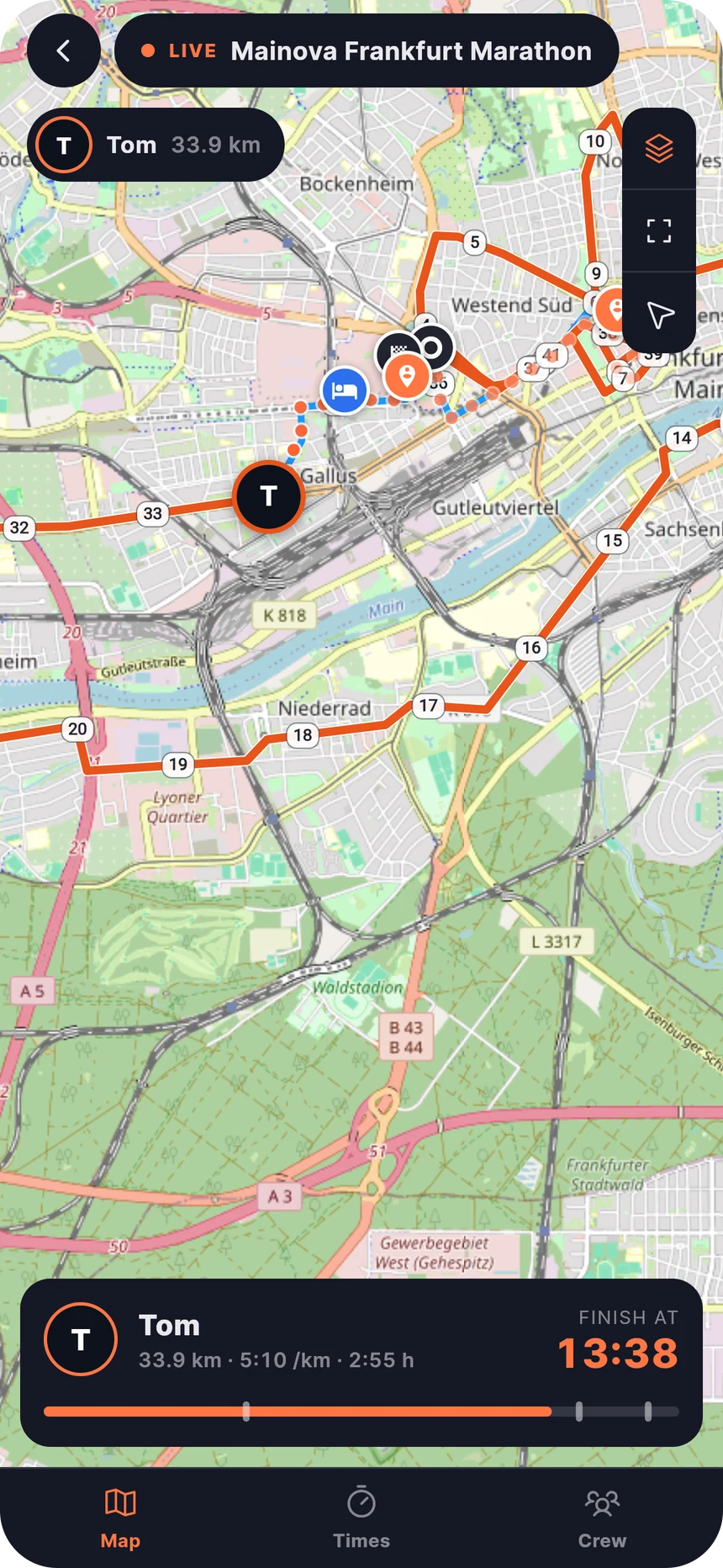
One switch, one link
Turn on "Allow spectators" in the race details. Dolichos creates a separate invite link for it, apart from the crew code. Send it to the family chat. Whoever opens it is in, and you see how many spectators are watching.
- Its own link and code, separate from the crew invite
- Join in the browser or the app
- Switching off revokes the link and removes every spectator
See everything, change nothing
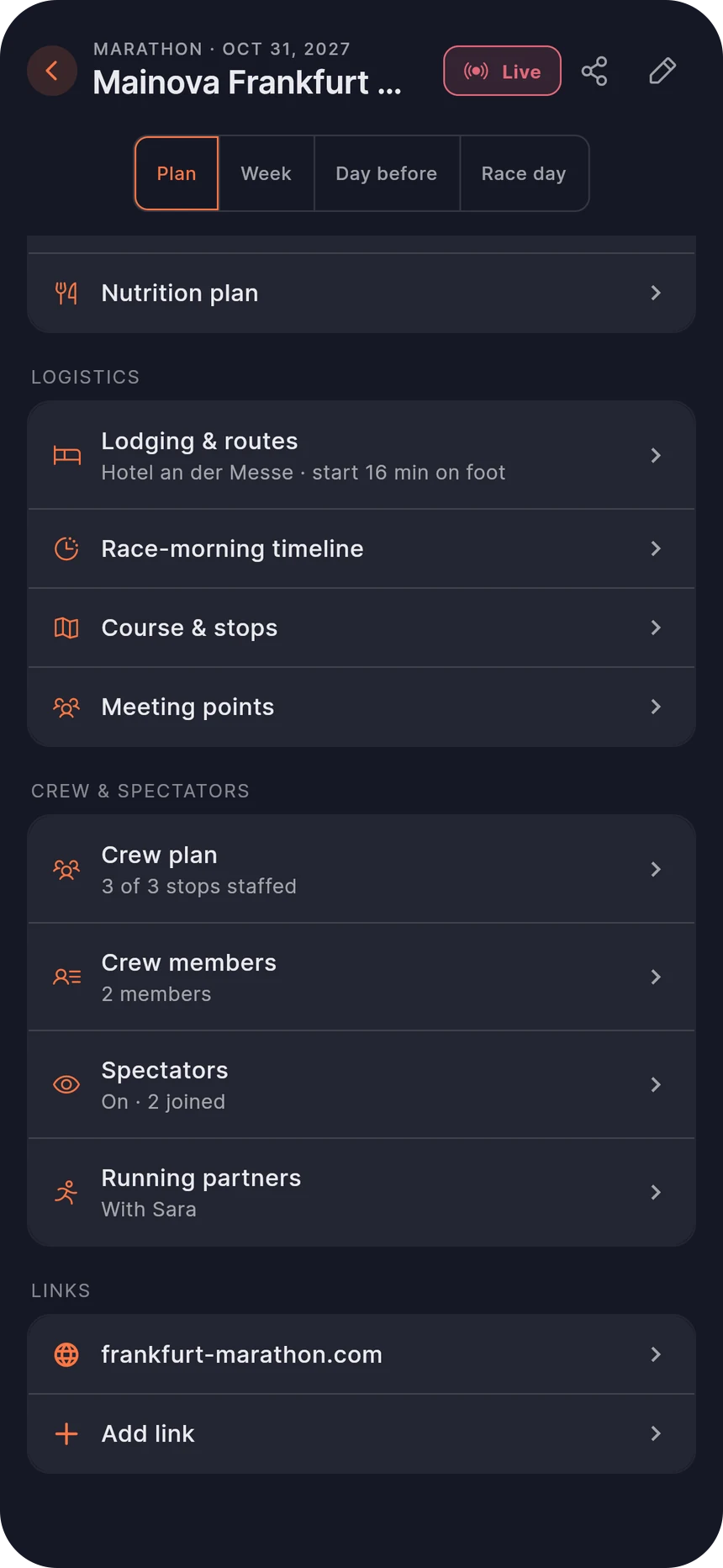
Spectators get a lean view: date, start time, the course and "Follow live". Planning, the pace plan and crew assignments never show up for them. Nobody presses "Start race" by mistake or reports you at a spot they aren’t at.
- No start button, no sightings, no tasks
- Not in the crew list or in any assignment
- After the race: the recap with finish time and splits
Start, position, finish
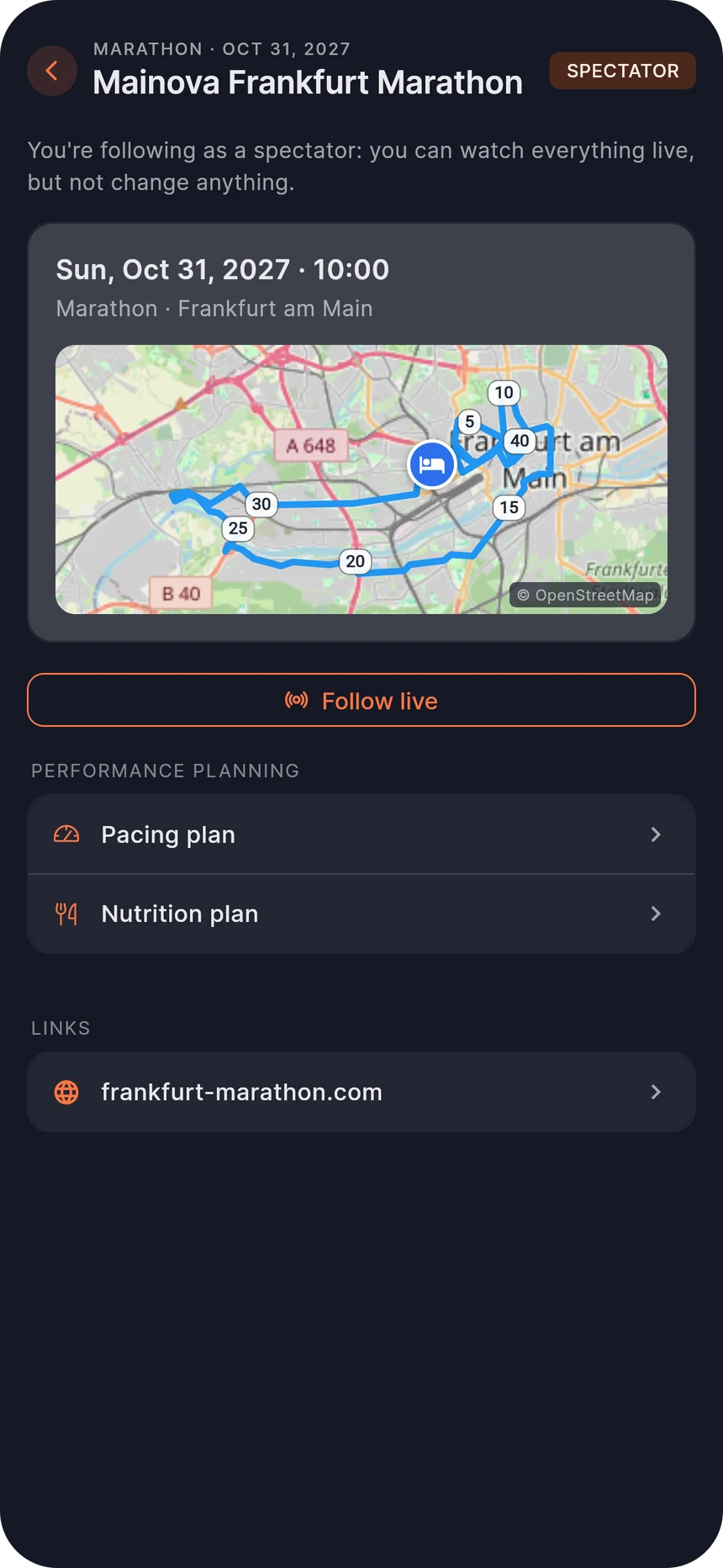
On race day spectators see the same live map as your crew: where you are, how fast and when you are expected to arrive. The forecast uses your pace plan and every sighting from your crew, or your phone’s GPS. Anyone who turns on push gets a message when the race starts and when you finish.
- Position, pace, time to go and arrival time, live
- Push at the start and at the finish
- Works for marathon, half marathon and triathlon
Frequently asked questions
What exactly do spectators see?
Everything your crew sees: the course, live position, pace and arrival times, but also places like where you stay, your crew’s locations and the crew list. That’s why the link is meant for family and friends, not for posting publicly.
Do spectators need the app?
No. The link opens Dolichos right in the browser. Anyone who prefers can use the iPhone or Android app.
Can spectators break anything?
No. Spectators can’t create or change anything, report a sighting or start the race. This isn’t just hidden in the app, it is blocked on the server.
How do I remove spectators again?
Switch off "Allow spectators". The link is revoked and every spectator loses access right away. Switch it back on and you get a new link.
How is this different from the crew?
Your crew is on the course: they get spots and tasks, report sightings and so correct your arrival time. Spectators just watch.
More features
Race week planner
Race week, the night before and race day: countdown, alarm, evening plan, packing list and hotel departure.
Open pagePacing plan
Enter a goal time, drag race zones, see heart rate and fuel burn per zone.
Open pageCarb loading calculator
Carbs in grams per day, calculated from your weight. Log with a tap.
Open pageFueling plan
An energy curve across the course, a plan check for carbs per hour and your own gels.
Open pageCrew & live tracking
Invite your crew with a code, hand out assignments and get live ETAs, with optional GPS from your phone.
Open pageRunning partners
Two runners, one crew: link your races and everyone sees you both live on one map.
Open pageRace report
After the race: GPS splits, your pace curve, notes from your crew and a reflection that comes back when you plan the next one.
Open pageAI assistant
Plan race week with Claude or ChatGPT: pacing, fueling, race morning and carb loading by chat.
Open page
Ready for your race week?
Create an account and plan your next race, right in your browser on iPhone, Android or desktop.
Get started