Plan your race week in a chat with Claude or ChatGPT.
Say what you have in mind in plain language, and your AI assistant enters it in Dolichos: the race, goal pace, fueling, race morning, carb loading and the list for the days before. Everything shows up in the app right away, exactly as if you had typed it in yourself.
Get startedStart is at 10:00 and it takes me 30 minutes to get to the start area. Plan my race morning.
Done: breakfast 6:45, leave 8:45, drop bag 9:30, in the start corral 9:45. Want a pre-start gel as well?
Yes, 15 minutes before. How many gels do I need during the race?
Gel added at 9:45. Your fuel plan has five during the race, one every 40 minutes.
The same plan, entered faster
The assistant works with the same building blocks as the app screens. It adds races, applies distance templates, sets your goal pace and builds your fuel plan, race morning and race-week list. It also reads what is already there and adjusts it instead of starting over.
- Add races and edit their details
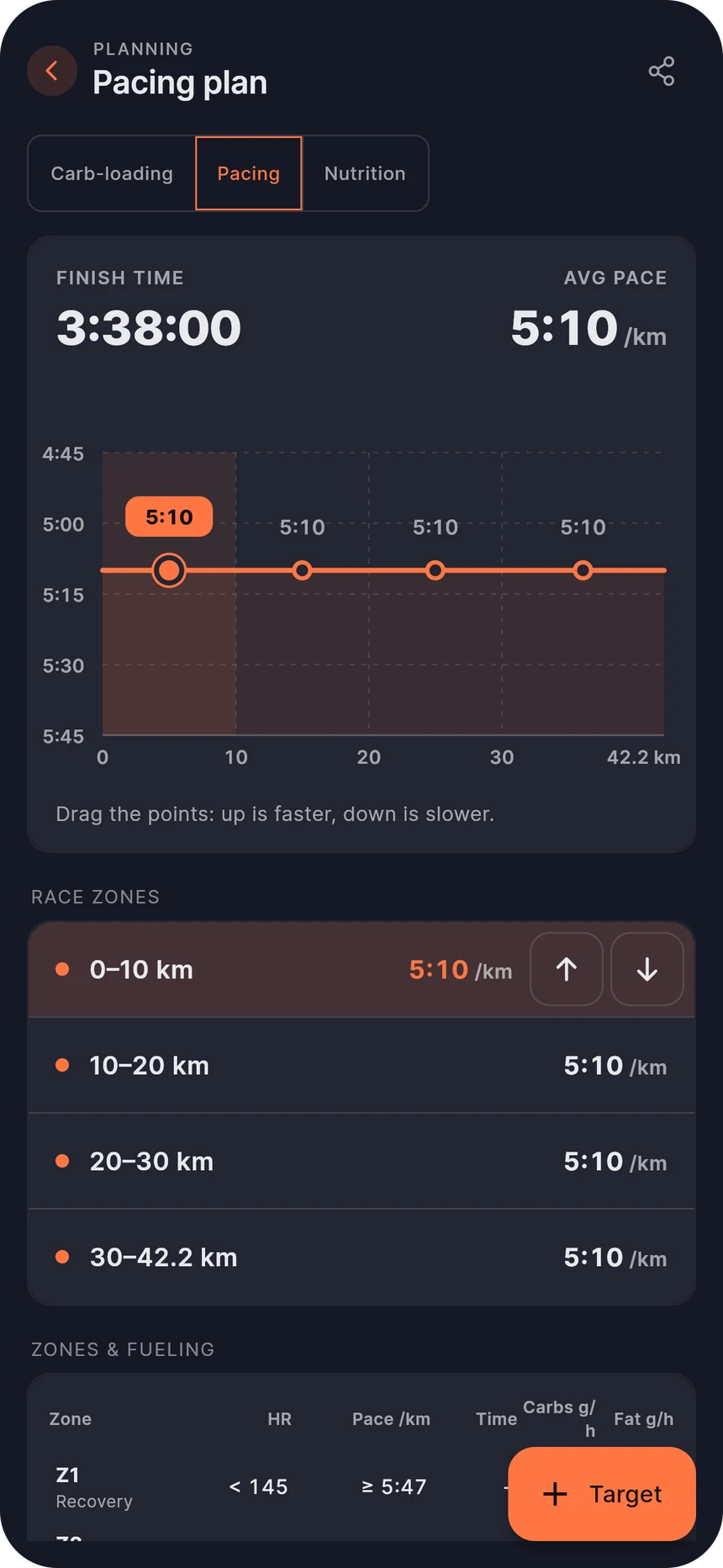
- Goal pace and pacing splits
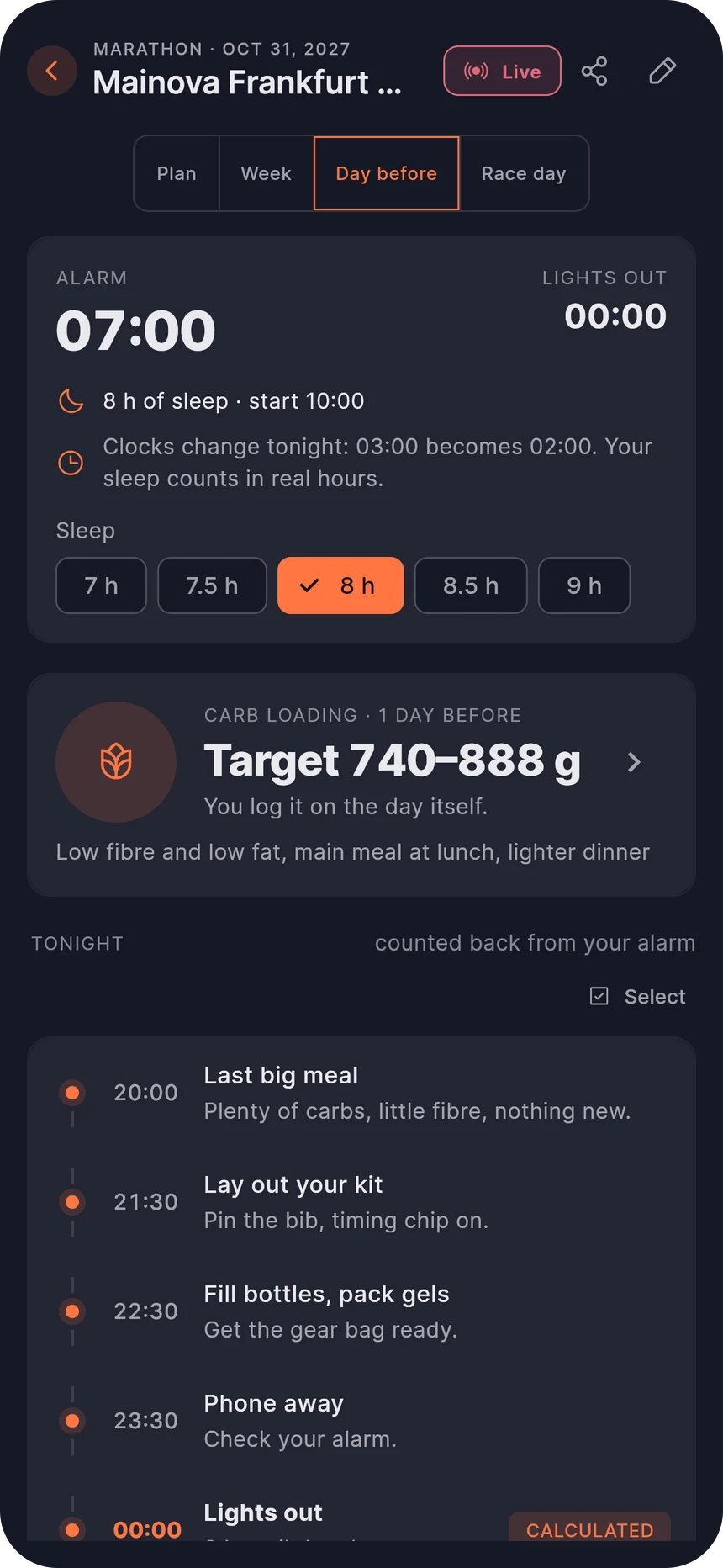
- Fuel plan, race morning and the days before
- Carb-loading days with meals, sleep, course points
- Hotel, expo and shuttle stop, with address search
No export, no re-typing
Whatever the assistant enters is in Dolichos straight away. Open the app and the plan is there, and your crew sees the updated times. The app's plausibility checks apply in the chat too: an unrealistic pace or a date outside race week gets rejected.
- Changes show up in the app immediately
- The same checks as when you type
- Carry on by hand whenever you like
You sign in, you grant access
When connecting, you sign in with Dolichos directly, not with the assistant, so it never sees your password. Then you confirm access. The assistant only changes your own races, and you can disconnect it at any time.
- Sign-in through Dolichos (OAuth), no password in the chat
- Changes only to your own races
- Disconnect in Claude or ChatGPT at any time
- Crew guest access cannot be connected
What deliberately stays in the app
Some things need the app: uploading GPX courses, the live race, organizing your crew, and your athlete profile with zones and lab results. The assistant has no access to those.
- No access to profile, zones or lab results
- Live race and crew planning in the app only
Connected in two minutes
You need a Dolichos account and the server URL below. The steps are also in the app under Settings → Plan with an AI assistant.
https://db.dolichos-app.com/functions/v1/mcpClaude
- 01On claude.ai, open Settings → Connectors.
- 02Choose "Add custom connector", enter the name "Dolichos" and paste the server URL.
- 03Click "Connect", sign in to Dolichos and allow access.
- 04Done: the connector is now also available in Claude's desktop and mobile apps.
A custom connector works on the Free plan.
ChatGPT
- 01On chatgpt.com, open Settings → Apps & Connectors → Advanced and turn on developer mode.
- 02Choose "Create", enter the name "Dolichos", paste the server URL and pick "OAuth" as authentication.
- 03Connect, sign in to Dolichos and allow access.
- 04Enable the connector in a chat via "+" → Developer mode.
Web only, and only with Plus, Pro or Business.
Claude and ChatGPT change their menus often. If a step looks different, search the settings for "Connector" or "Apps".
Frequently asked questions
What is MCP?
The Model Context Protocol is an open standard that lets AI assistants like Claude and ChatGPT work with other services. Dolichos offers its planning features through it, and the assistant calls them on your behalf.
What does it cost?
Nothing extra on the Dolichos side. Claude's Free plan is enough for a custom connector. ChatGPT requires Plus, Pro or Business and only works on the web.
Can the assistant see my health data?
No. Your athlete profile, heart-rate zones and lab results cannot be reached through the assistant. It only works with the planning of your races.
Can my crew use the assistant too?
No. Connecting requires your own Dolichos account. Crew guest access, which your crew uses to join with a code, cannot be connected.
How do I disconnect?
Disconnect or delete the Dolichos connector in the Claude or ChatGPT settings. After that the assistant can no longer reach your data.
Does it work with other AI assistants?
The guide covers Claude and ChatGPT. Other clients that support remote MCP servers with OAuth sign-in can connect with the same server URL.
More features
Race week planner
Race week, the night before and race day: countdown, alarm, evening plan, packing list and hotel departure.
Open pagePacing plan
Enter a goal time, drag race zones, see heart rate and fuel burn per zone.
Open pageCarb loading calculator
Carbs in grams per day, calculated from your weight. Log with a tap.
Open pageFueling plan
An energy curve across the course, a plan check for carbs per hour and your own gels.
Open pageCrew & live tracking
Invite your crew with a code, hand out assignments and get live ETAs, with optional GPS from your phone.
Open pageSpectator link
Family and friends follow your race live from a link, with no way to change anything.
Open pageRunning partners
Two runners, one crew: link your races and everyone sees you both live on one map.
Open pageRace report
After the race: GPS splits, your pace curve, notes from your crew and a reflection that comes back when you plan the next one.
Open page
Ready for your race week?
Create an account and plan your next race, right in your browser on iPhone, Android or desktop.
Get started